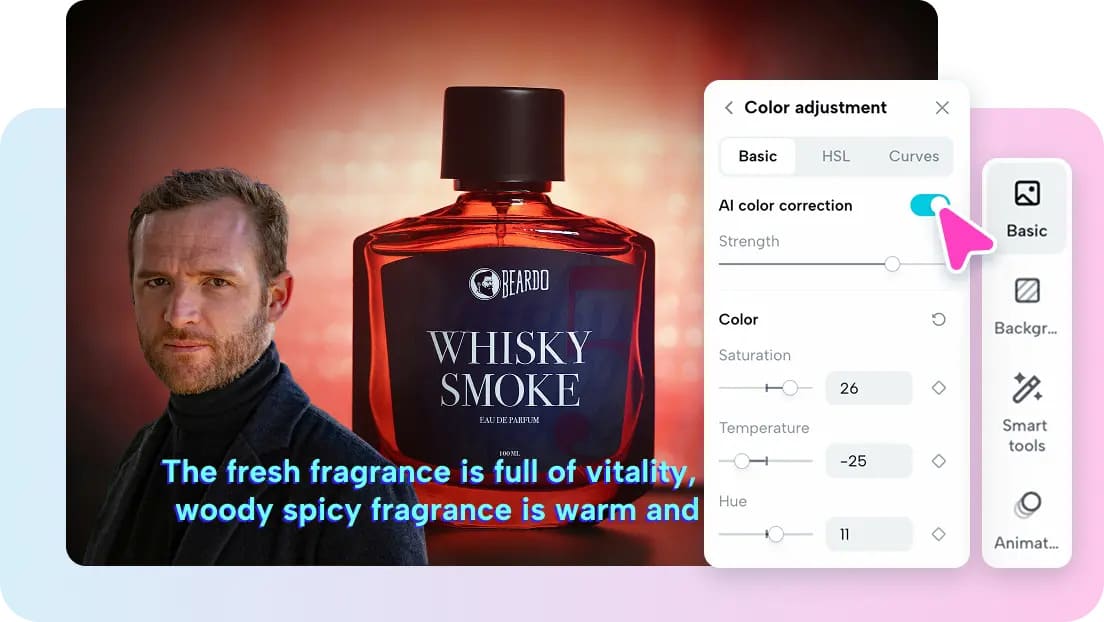
The key elements of narration projects are the timing, the voices, and the length of content. SeedAudio 2.0 includes the ability to create longer spoken scenes and full audio generation. It can have a generation time of up to 6 minutes for longer narration projects—generation, editing, sync, and export in a single creative workflow with Pippit.
What Makes SeedAudio 2.0 Useful for Narration Projects
SeedAudio 2.0 converts text prompts into dialogue, ambience, effects, and music. This is ideal for narration, localization, storytelling, and promotional videos. One of the advantages of AI dubbing is the synchronization of spoken content with additional audio elements. It is possible to have a consistent narrator or character voice with reference audio. Pippit also offers various generation combinations for flexible production workflows. Text-only generation will work without using any reference media or existing footage. The voice characteristics can be guided by text and reference audio. Visual input can be used for audio timing and scoring. Placing the timestamps helps to position important moments of dialogue or sound precisely.
Plan Narration Around the Intended Duration
Length of narration should affect script construction prior to generation. For longer scripts, sections, beats, pauses, and transitions are required. SeedAudio 2.0 can handle longer generation sessions within the 6-minute max. If the narration is long and there are big jumps in the story, break the story into logical “scenes.” Find places in the text that require pauses for visuals or that need emphasis. Match phrases to actions, to changes of scene, to graphics, to demonstrations. Information can be quite dense, which can mean slower delivery and more visual support. Additionally, shorter segments can make revisions easier in the event that certain moments require regeneration. Changing the generation limit to 6 minutes will give more room for continuous narration.
Personalize Narration with Voice and Performance Directions
The voice for the intended narrator or character can be directed with reference audio. Having clear reference material can help ensure continuity of vocal qualities between linked parts. Rhythm, style of speaking, emotional delivery, and accent characteristics can be described by prompts. Performance directions may also indicate the level of intensity at various points in the narration. For instance, an introduction can be placid and instructive. An important statement can be more dynamic and expressive. If it is a serious explanation, try to take your time and emphasize certain points. Projects can be supported by multiple reference files that are for different speakers. The speakers should have a proper reference recording and instructions.
Steps to Build Personalized Duration Narration Projects with Seedanceaudio 2.0 in Pippit
Step 1: Set Your Narration Duration
- Sign up for Pippit with your Google, TikTok, or Facebook account.
- Go to “More” on the left menu and open “Video generator”.
- Select an AI model, such as Dreamina Seedance 2.0.
- Enter a detailed prompt describing the narration, speaker, voice, delivery, mood, effects, music, ambience, and text.
- Choose your video length, language, subtitles, and aspect ratio.
- Click “+” to upload reference audio or video from your device, phone, Dropbox, or a link. You can also select assets.
- Click “Generate”.
Step 2: Generate the Timed Narration
- After clicking “Generate”, Pippit creates the video using your prompt and reference media/audio.
- AI manages transitions, pacing, captions, avatars, voice, lyrics, and visual enhancements.
- Review the draft to check the narration and timing.
Step 3: Adjust Timing and Export
- Click “Download” at the top right to save it. Use “Regenerate” if you want another result, or click “Edit more” below the video to edit it.
- Modify captions and text, including size, color, alignment, filters, voice, and effects.
- Add background music, remove backgrounds, control emotional timing, edit sync, and fine-tune visuals.
- Click “Export” when finished.
- Select “Publish” to post on TikTok, Instagram, or Facebook, or click “Download” to save the video in your preferred format, resolution, frame rate, and quality.
Six Narration Controls to Define Before Generation
- Narrator Identity: Set narrator identity using an appropriate reference recording. Be consistent with speaker instructions between connected narration sections.
- Narration Length: Plan the length of the narration and the amount of content that will be covered. Add logical sections if further editing and sequencing is needed.
- Speaking Pace: Indicate a slow, medium, lively, or fast pace. Vary the speed depending on the density of the information in each section.
- Emotional Progression: Identify emotional shifts in various sections of a narration. This ensures that none of the passages are emotionally monotone.
- Timestamp Placement: Identify key dialogue moments in the proposed sequence. Timing directions can help to coordinate narration with anticipated visual events.
- Supporting Audio: Talk about ambience, effects, and music used to support narration. Continue to maintain balance of supporting layers to ensure spoken information is clear.
Use Reference Video for Narration Synchronization
The uploaded video can be useful for the visual context for narration generated. Pippit is able to utilize pre-recorded video to direct sound around visual beats. Narration may be used in conjunction with scene changes, character actions, demonstrations, or promotion sequences. It is ideal for informational videos, ads, localization projects, etc., where there is narration. Video-aware generation can minimize manual timing in the initial production process. But any generated synchronization should be carefully reviewed thereafter. See if significant lines are starting and ending at the right visual moments. Analyze scene transitions in which there are rapid changes in time. When the first generation requires sync adjustment, Pippit editing tools can further adjust the synchronization.
Build Narration with Separate Audio Elements
SeedAudio 2.0 can supply separate dialogue, ambience, effects, and music tracks. Independent tracks allow editors to have more control over the final sound balance. Dialogue can be kept in place, with background music also being volume-adjusted separately. Rebuilding all the narration is not required for sound effects to be changed. This separation helps to keep post-production clean and makes revisions more efficient. The editors can substitute and/or improve supporting layers without altering approved spoken material. Elements also help to deal with complex projects that have varying visual needs. For this reason, Pippit believes in a more flexible approach to the production of a narrated video.
Keep Longer Narration Projects Consistent
With longer projects, it is important to have regular references, delivery descriptions, and pacing decisions. Avoid repeating voice instructions in similar narration sections. When the same speaker continues, maintain consistency of reference recordings. Listen for obvious differences between generated segments prior to final export. When scenes are of varying emotional intensities, carefully check transitions. Compare the captions to the spoken words for timing or transcription issues. Regeneration should focus on identified weaknesses rather than needlessly replacing successful areas. AI MV should be used to check voice consistency, timing, captions, music balance, and visual alignment in a final review.
Conclusion
Personalized narration requires careful narration time planning and narration direction. For extended storytelling projects, reference voices can be used to help hold the voice of the speaker together. Using the timestamp of instructions can help with synchronisation between narration and key visual moments. SeedAudio 2.0 now allows for up to 6 minutes of generation. Additionally, separate audio tracks allow for more flexibility during the post-production phase—one narration workflow for generation, editing, sync, and export.





Be First to Comment