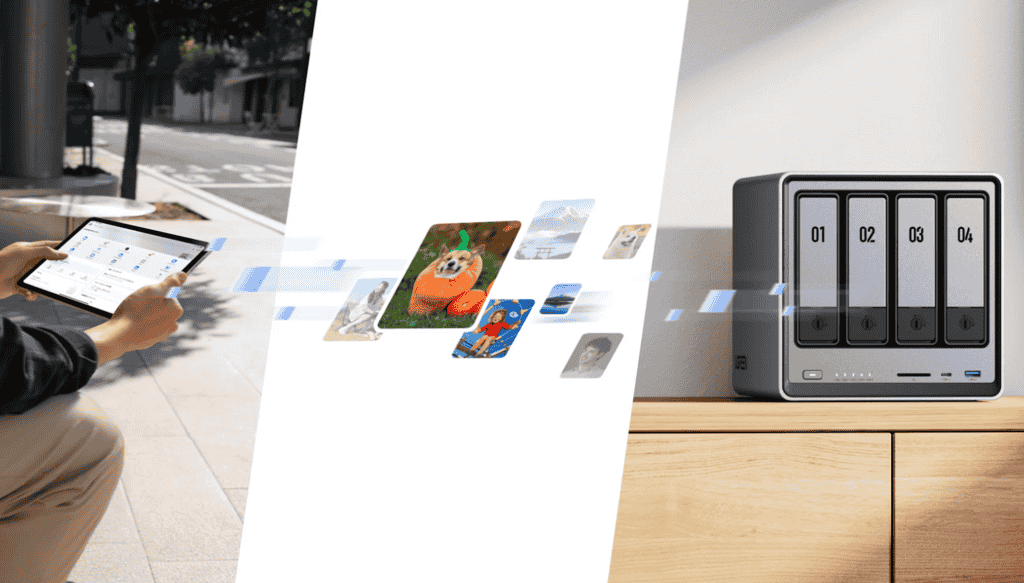
Smartphones have become the primary camera for most people in the UK. Photos of family events, holidays, and everyday moments often live on mobile devices without a clear backup plan. Many users rely on cloud storage until it fills up or becomes too expensive, while others do not back up their photos at all.
Backing up photos from your phone to a NAS is a reliable way to protect these memories long term. A NAS lets you store photos at home, automatically and securely, without ongoing subscription fees. Modern home NAS platforms such as UGREEN NASync are designed to make this process accessible even for beginners.
This guide explains how to back up photos from your phone to a NAS, what you need to get started, and how to build a simple photo backup system at home.
Why Backing Up Phone Photos Is Important
Phone photos are more vulnerable than many people realise. Phones can be lost, damaged, or stolen, and accidental deletion is common. Software updates and app errors can also lead to unexpected data loss.
Relying on a single device to store important photos is risky. Even cloud storage has limitations, including storage caps, subscription costs, and dependence on internet access.
A NAS adds protection by keeping a local copy of your photos in your home. This makes recovery easier and gives you more control over your personal data.
What Is a NAS and How Does It Help with Photo Backups?
A NAS, or Network Attached Storage, is a device connected to your home network that stores data centrally. Unlike an external hard drive, a NAS is always available to devices on the network and can run automatic backups in the background.
For phone photo backups, a NAS acts as a private photo library. Photos from your phone are copied to the NAS automatically, organised into folders, and stored safely for long-term access.
Home-focused platforms like UGREEN NASync simplify the experience with user-friendly apps and setup guidance that do not require technical knowledge.
What You Need Before You Start
Before backing up photos from your phone to a NAS, make sure a few basics are in place.
You need a NAS connected to your home router and powered on. Your phone should be connected to the same home network, usually through Wi-Fi. You should also confirm that your NAS has enough free storage for your photo library, especially if you take a lot of photos and videos.
If you plan to back up photos from multiple phones or store photos long term, choose sufficient capacity from the start. Models such as the UGREEN NASync DXP4800 are designed to handle larger photo libraries while remaining suitable for home use.
How to Back Up Photos from an iPhone to a NAS
Using NAS Mobile Apps
Most modern NAS systems offer mobile apps for iOS. These apps allow your iPhone to connect directly to the NAS over your home network.
After installing the app, you sign in and choose which photo libraries or folders to back up. Once enabled, the app uploads new photos in the background whenever your iPhone is connected to Wi-Fi.
UGREEN NASync provides a mobile-friendly experience that allows iPhone users to back up photos without manual file transfers.
Automatic vs Manual Backups
Automatic backups are the best option for most users. They reduce the risk of forgetting and keep new photos protected without extra effort.
Manual backups can be useful for one-time transfers or when organising older photo collections, but they require more attention and are easier to miss over time.
How to Back Up Photos from an Android Phone to a NAS
Android Backup Options
Android phones also support NAS photo backups through dedicated apps. These apps work similarly to iOS versions, enabling automatic uploads over Wi-Fi.
Once set up, photos taken with the phone camera are copied to the NAS automatically. Users can often choose whether to back up only photos, only videos, or both.
Home NAS platforms like UGREEN NASync support both Android and iOS, which is useful for mixed-device households.
Managing Background Uploads
To avoid excessive mobile data use, restrict backups to Wi-Fi only. Most NAS apps include this option and allow you to control when uploads run.
This matters for many UK users, where mobile data limits still apply and large photo or video uploads can consume allowances quickly.
Organising Photos on Your NAS
Once photos are backed up, organisation helps you find images later and keep your library manageable.
Many users organise photos by year and month, while others prefer folders for events or family members. Some NAS systems also support automatic sorting based on date or device.
UGREEN NASync allows simple folder management through a web interface or mobile app, making it easier to keep photo libraries tidy over time.
Backing Up Photos from Multiple Phones
In many households, more than one person needs to back up photos. A NAS can handle multiple users at the same time, each with their own folders and permissions.
This allows each family member to back up photos independently while keeping files separate. Over time, the NAS can become a central archive of family memories.
Devices like the UGREEN NASync DXP4800 are built for multi-user home backups, supporting multiple phones without slowing down the process.
Best Practices for Phone Photo Backups
Check occasionally that backups are running correctly. Open the NAS app and confirm that recent photos have been uploaded, especially after phone updates or app updates.
Keep your NAS software and mobile apps up to date for compatibility and security. Also monitor available storage so backups do not stop unexpectedly when space runs low.
For critical photos, consider an additional backup copy, such as an external hard drive stored separately or a cloud copy, as part of a broader strategy.
Is a NAS the Right Choice for Photo Backups?
A NAS is ideal for users who take a lot of photos, want to avoid cloud subscription fees, or prefer storing personal data at home. It is especially useful for families with multiple phones and growing photo libraries.
If you only take a small number of photos and are satisfied with free cloud storage, a NAS may not be necessary. However, for long-term photo storage and peace of mind, a NAS offers greater control and flexibility.
Platforms such as UGREEN NASync provide a beginner-friendly way to build a private photo backup system. Models like the UGREEN NASync DXP4800 are suitable for users who want room to grow as their photo collection expands.
Final Thoughts
Backing up photos from your phone to a NAS is one of the most effective ways to protect personal memories. With automatic backups, centralised storage, and full control over your data, a NAS provides a practical alternative to cloud-only solutions.
For UK home users looking for a long-term photo backup approach, a NAS can offer reliability, convenience, and peace of mind. Understanding how to set it up and use it effectively is the first step toward keeping your photos safe for years to come.





Be First to Comment